Wet Grass and Unfinished Business
Session Summary
Duration
18 minutes
Distance
1.42 miles
Mower
John Deere
Deck Height
3.50 inches
Weather
Partly Cloudy
Sometimes you can't mow the whole yard. Life happens. Weather happens. And sometimes the back half of your property is still a soggy mess from last night's rain while the front is good to go.
That was my situation this week.
The Problem: Half Wet, Half Ready
We got a decent amount of rain Thursday night, and by Saturday morning the front yard had dried out enough to mow. But the backyard? Still squishy. Not standing-water wet, but wet enough that I'd leave ruts and make a mess of things.
I've learned this lesson before. Mowing wet grass doesn't just look bad — it clumps, it clogs, and it stresses the turf. Better to wait.
So I fired up the zero turn and knocked out the front yard only.
MowDaddy Knows I'm Not Done
Here's what I love about tracking my mows: the app doesn't let me pretend I finished.
When I ended my session, the coverage calculation was clear — I'd only done about half the property. And right there on the home screen, a badge appeared: Unfinished Business.
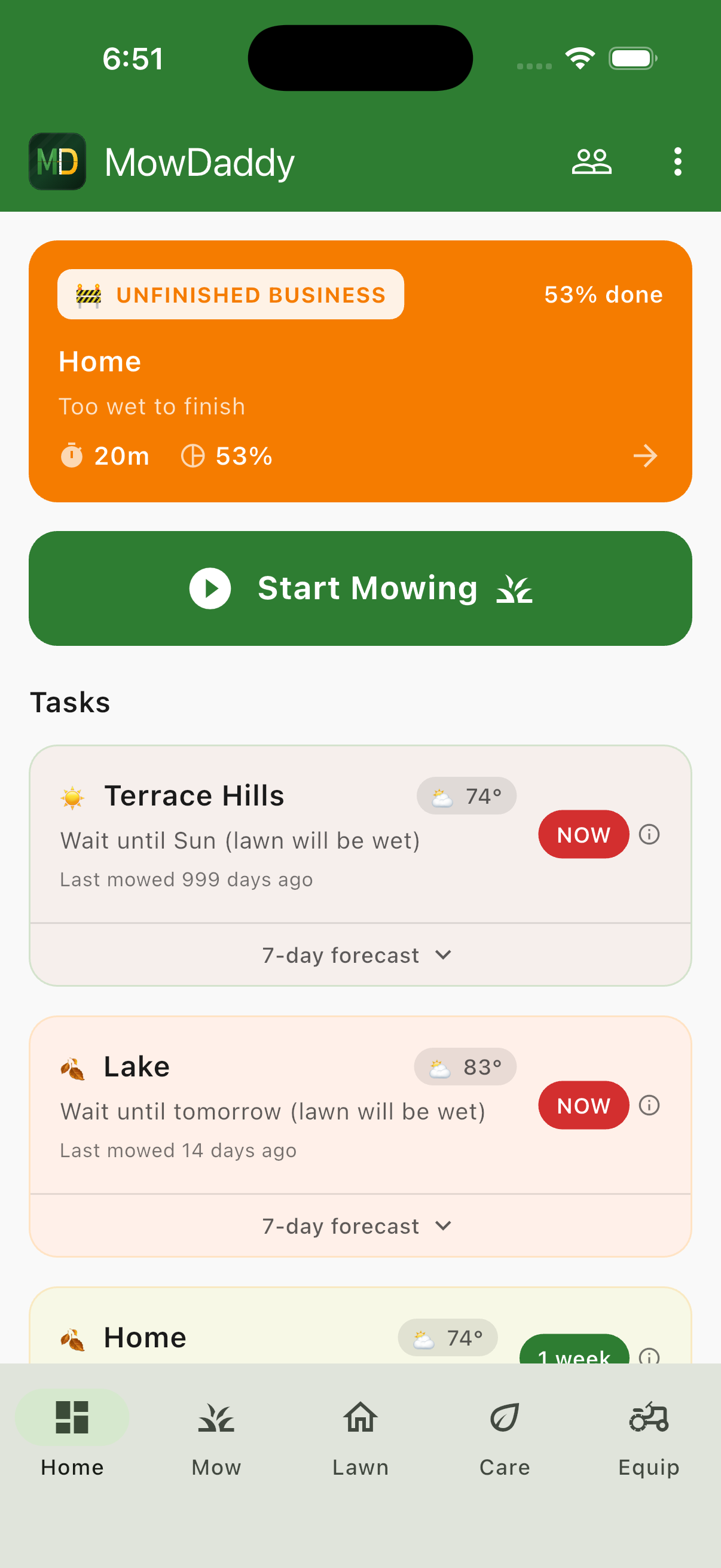
That badge isn't just a reminder. Tap it, and MowDaddy lets you pick up where you left off. Instead of starting a brand new session, you can continue the existing one. Your coverage map stays intact, your stats accumulate, and at the end you have one complete mow log instead of two fragments.
This is exactly the workflow for partial mows:
- Mow what you can
- End your session
- Wait for conditions to improve
- Tap the badge to resume
- Finish the job
When you finally complete the full property, the coverage percentage updates and the badge goes away. One continuous record of the mow, even if it took two days.
The Phone Mount Situation
Speaking of my setup — people keep asking how I mount my phone on the zero turn. The answer is: I stole it off my bike.
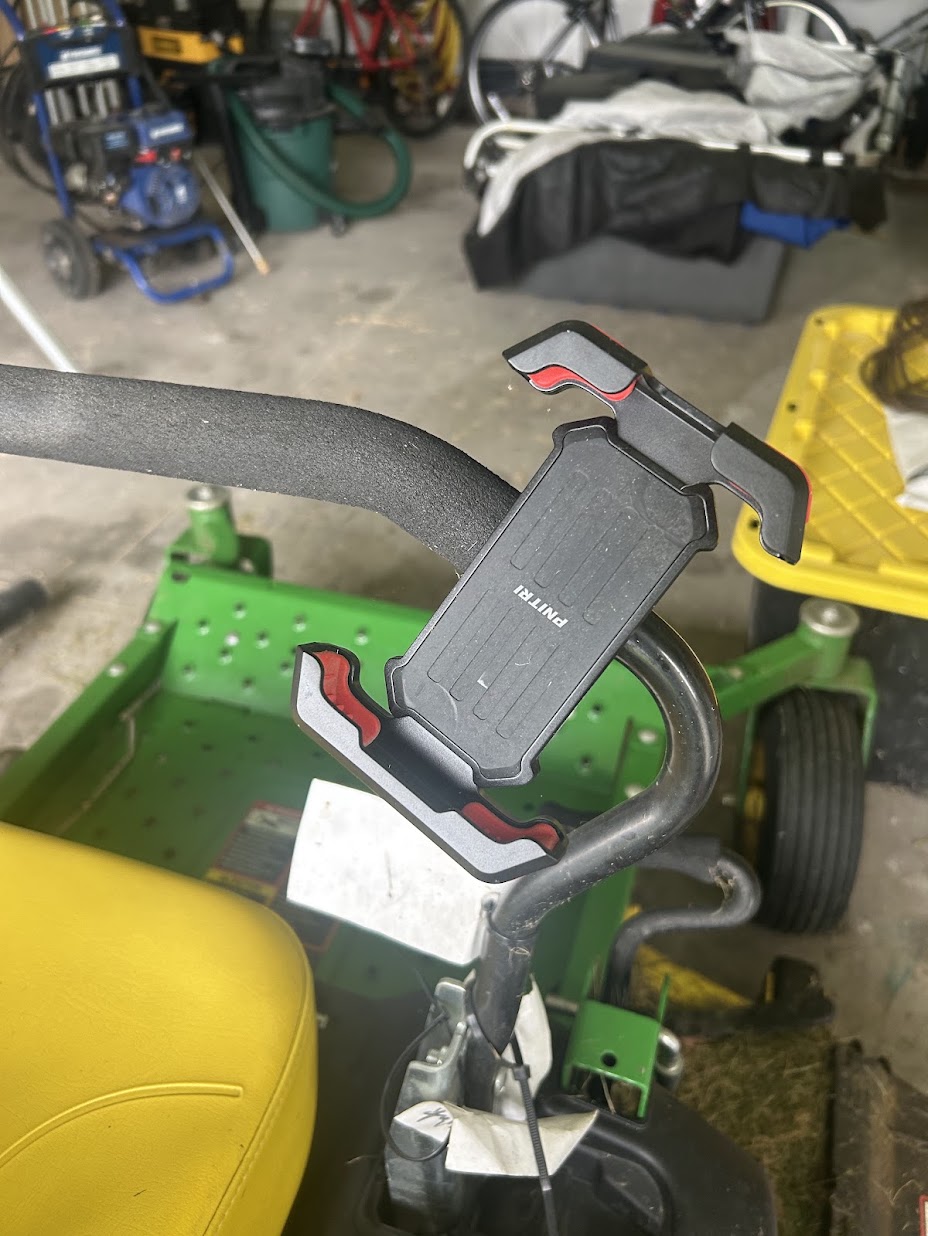
It's a basic handlebar phone mount that clamps onto the armrest frame. Nothing fancy. The kind you'd find at any bike shop for twenty bucks. I had it lying around from when I got a dedicated cycling computer, so it was either gather dust in a drawer or find a new purpose.
Turns out, it works great. The armrest on my John Deere has a round tube that's close enough to handlebar diameter. The mount clamps on, the phone snaps in, and I can glance at my mow path without stopping.
A few tips if you're thinking about the same approach:
- Vibration matters. Zero turns shake more than bikes. Make sure your mount has a solid grip. Mine hasn't dropped a phone yet, but I added a small rubber band as a backup safety.
- Sun visibility. Angle the mount so you can see the screen in direct sunlight. I've got mine tilted slightly away from straight-up to reduce glare.
- Don't overthink it. You don't need a mower-specific mount. Anything that clamps to a tube and holds a phone will work.
Back to Finish the Job
Two days later, the backyard finally dried out. I opened MowDaddy, tapped that Unfinished Business badge, and picked up right where I left off.
Fifteen more minutes and the whole property was done. Coverage jumped from 48% to 97% (there's always that spot by the fence I barely miss). One mow log, one complete record, even though it took me the better part of a week to actually finish.
That's the reality of lawn care sometimes. Weather doesn't cooperate. Schedules get interrupted. The point isn't to mow everything perfectly every time — it's to keep track of what you've done and what still needs doing.
MowDaddy handles that part. I just have to eventually get back on the mower.
Track your partial mows and never lose progress. Join the beta →